Supernote Partner App for Desktop

Written by Fu Xi
Updated at October 12th, 2026
Table of Contents
Supernote Partner is a companion application for Supernote devices. This desktop application allows you to manage synchronized notes and documents, plus it offers intriguing features like keyboard sharing for you to explore.
For Windows & macOS
V2.6.1 for Windows and V2.6.0 for macOS
Updated on October 12, 2026
Added:
- [Files] Supports displaying file sync status in the file list.
- [Sync] Supports displaying file sync status indicators in Windows File Explorer and macOS Finder.
- [Sync] Added support for setting a custom root folder for sync.
Optimized:
- [System] Supports switching the macOS app icon to match the system Light/Dark mode.
- [Note] Improved text recognition accuracy when exporting notes to TXT.
- [Document] Supports selecting right-to-left text in PDFs, including Hebrew.
Fixed:
- [Note] Fixed the issue where notes were incorrectly reported as corrupted when opened in certain Windows system language environments.
- [Digest] Fixed the issue where a deleted digest could not be imported again.
- [To-Do] Fixed the issue where some to-dos could not sync properly.
- [Sync] Fixed the issue where some files triggered sync conflicts due to differences in filename rules.
- [Sync] Fixed the issue where sync abnormalities occurred when only the case of filenames was changed in certain scenarios.
For Linux
Under development.
Keyboard Sharing
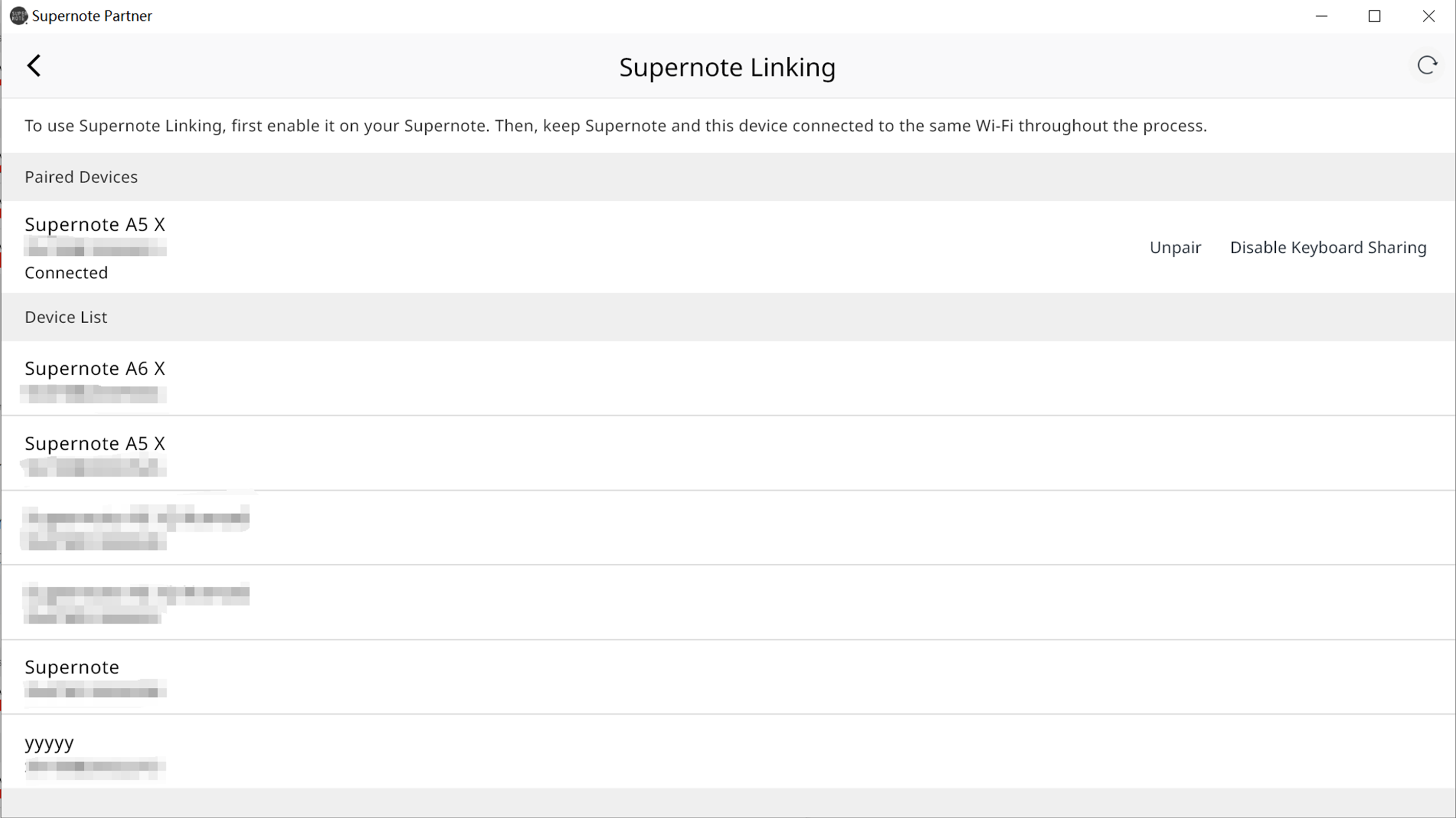
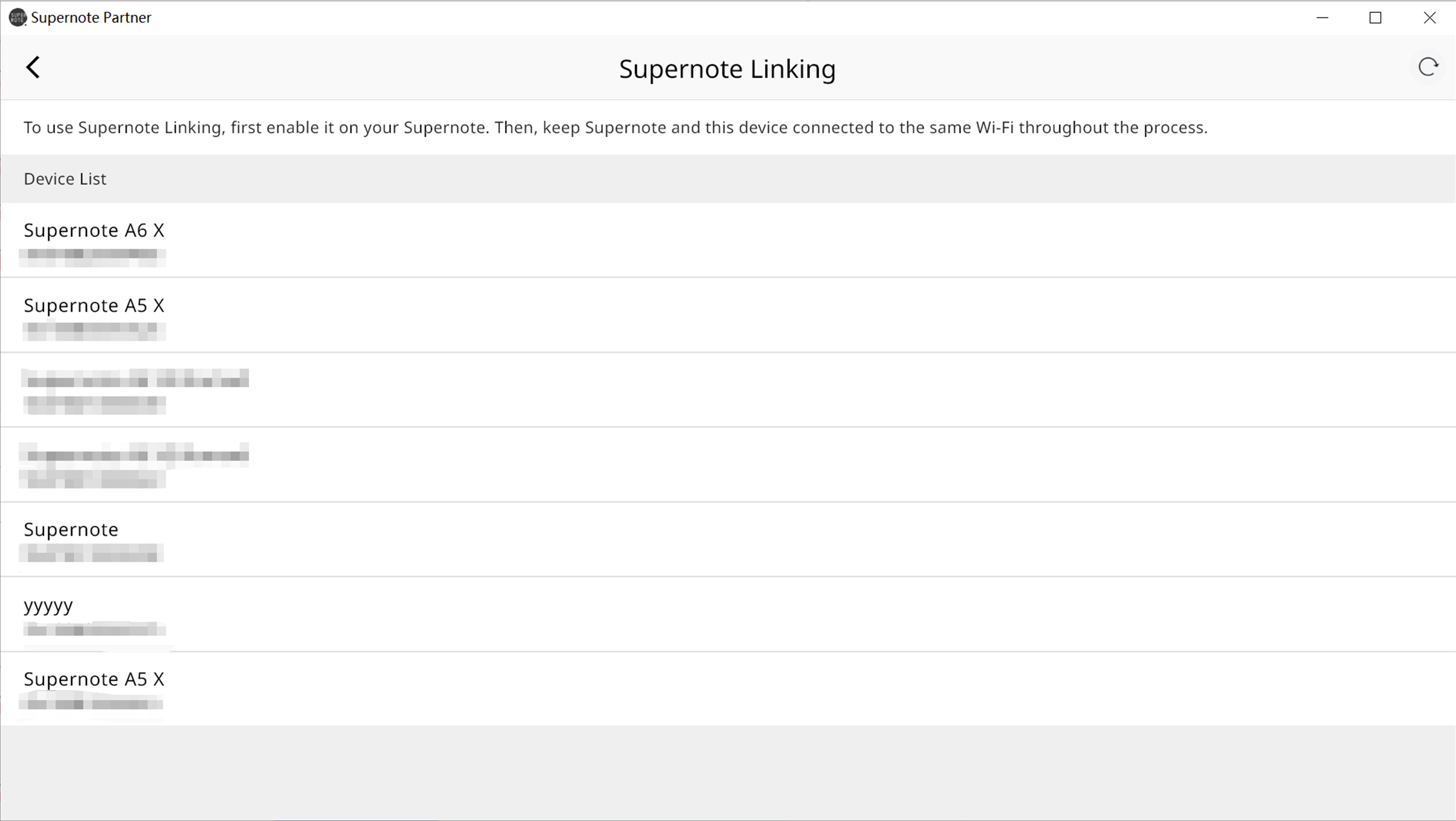
1. Select your Supernote device you want to pair with from the list.
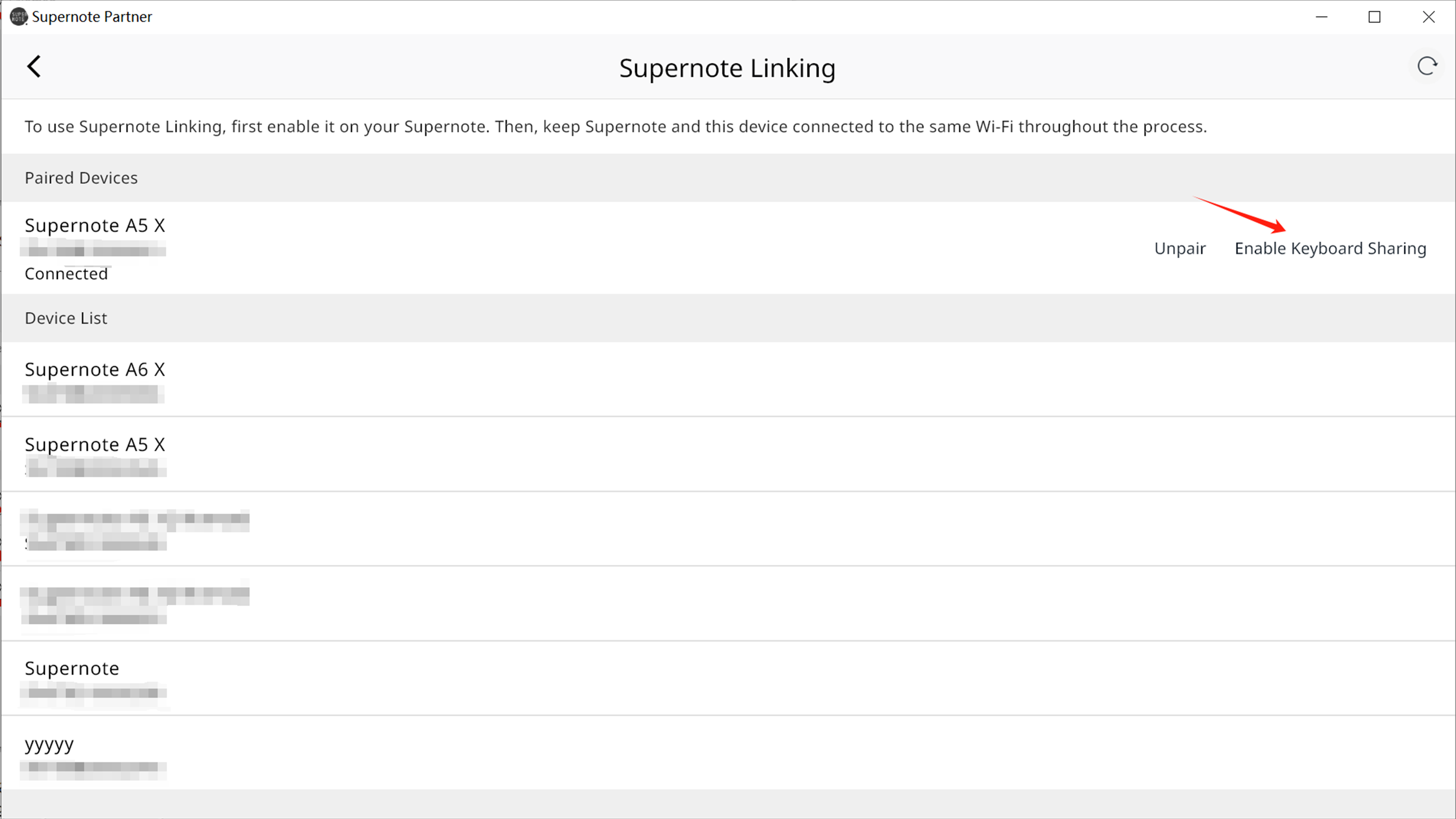
2. After successful pairing, click "Enable Keyboard Sharing".
3. You can create a Word document on your Supernote device and conveniently enjoy typing on your PC's keyboard.
4. Please note that keyboard input can only be shared to your Supernote device when the interface is displayed in the foreground.